1. Обзор
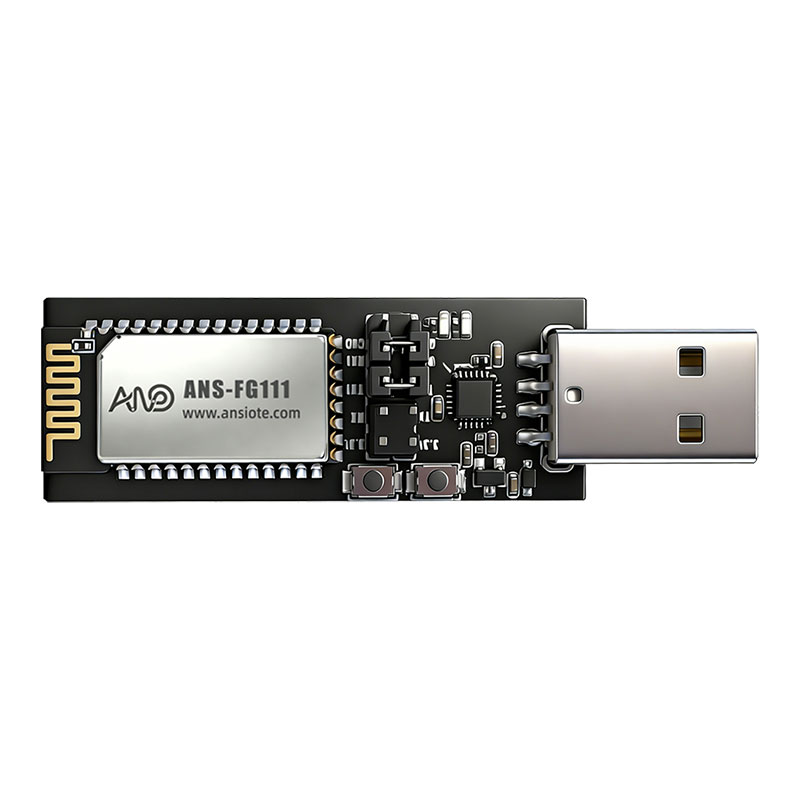
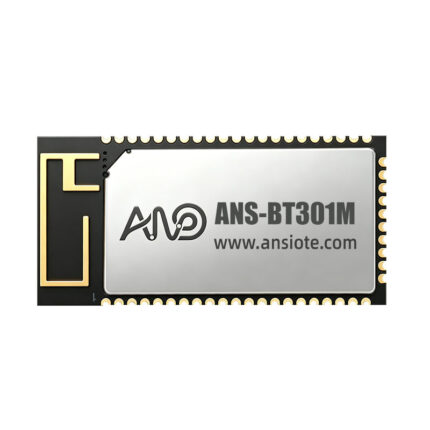
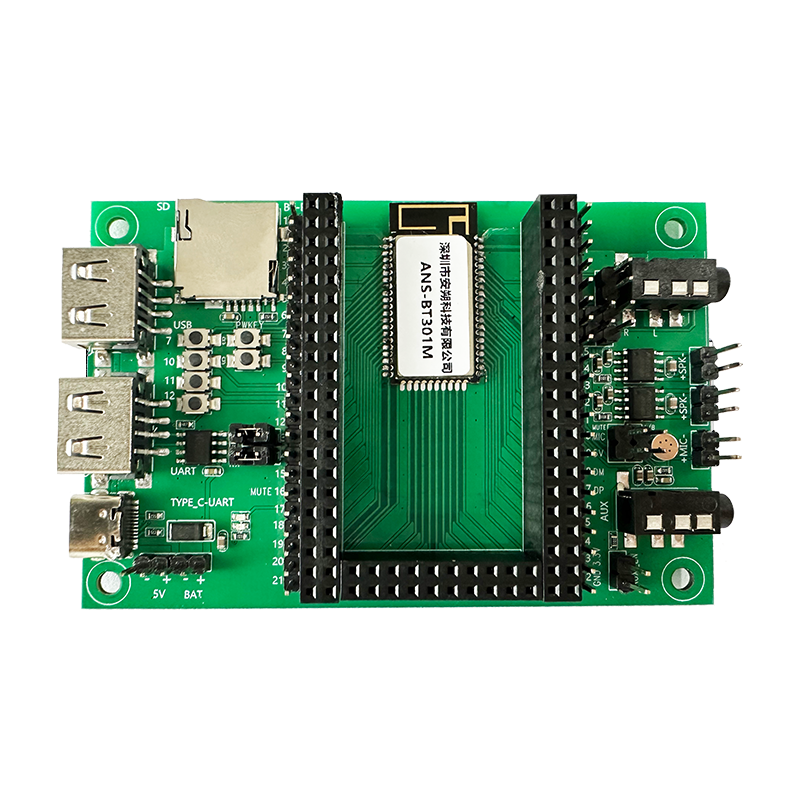
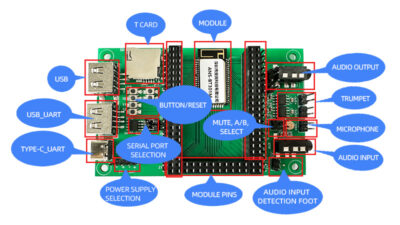
ANS-DB003M — это плата разработки последовательного аудио с интерфейсом USB-TTL.. Он поддерживает разработку и отладку таких плат, как ANS-BT301M.. Пользователи могут читать или записывать конфигурации модулей с помощью AT-команд через последовательный отладчик.. Для соответствующих команд, пожалуйста, обратитесь к руководству пользователя по программированию. ANS-DB003M поддерживает отладку входов источника звука как BT., К, USB, и tf-карта, и выход источника звука как аналоговый выход SPK. В режиме входа Bluetooth, он поддерживает передачу данных BLE. ANS-BT301M поддерживает I2S для выхода «главный-подчиненный».; для тестирования требуется программа I2S и перемычки.
Введение в Совет по развитию:
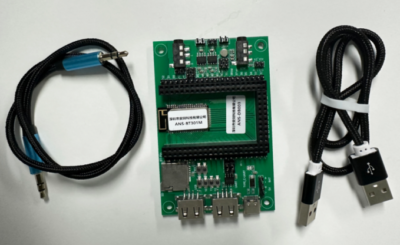
Комплект макетной платы:
2. Установка тестовой среды
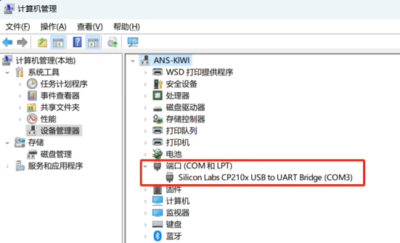
1) Установите драйвер последовательного порта на компьютер. (CP210xVCPInstaller.exe, проконсультируйтесь с инженером для получения информации о драйвере)
2) Мобильные инструменты
2.1. Мини-программа Датиос
2.2. Облачное приложение NetEase, и т. д..
3. Настройка тестовой среды
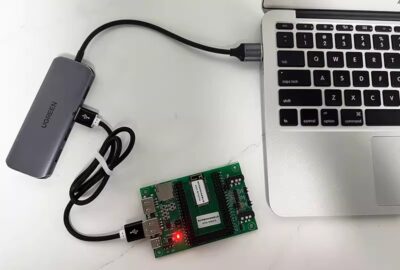
3.1. Подключите макетную плату ANS-DB003M к USB-порту компьютера.; светодиодный индикатор должен продолжать гореть.
3.2. Открыть “Помощник по отладке последовательного порта + TCP/UDP” (Майкрософт…) на компьютере. (Скачать из магазина)
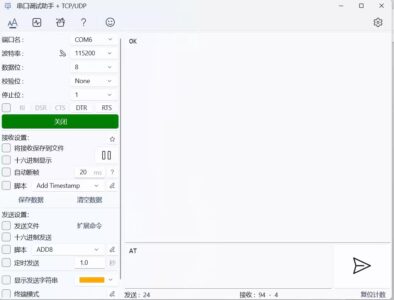
Инструкции:
(1) Выберите номер последовательного порта CP210X для установки драйвера.;
(2) Выберите правильную скорость передачи данных (проконсультируйтесь с инженером);
(3) Откройте последовательный порт;
4. Аудиовход: БТ
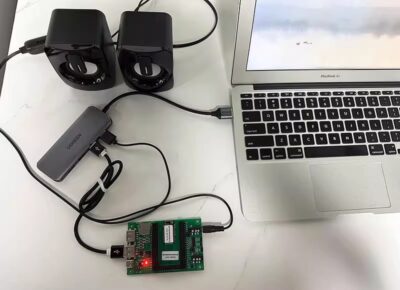
(1) Стандартная программа ANS-BT301M по умолчанию использует вход BT.;
(2) Настройки телефона – Bluetooth – выберите ANS-BT301M, нажмите «Подключиться»;
(3) Открыть “Облачная музыка NetEase” играть. Чтобы получать тексты песен, отправить команду: AT+LYRIC=1 через инструмент последовательного порта;
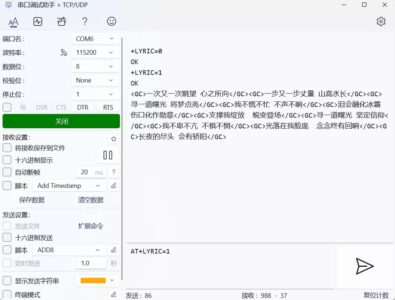
(4) Передача данных Bluetooth: Передача данных Bluetooth по умолчанию осуществляется в командном режиме.. В качестве примера передачи данных рассмотрим помощник по отладке последовательного порта и мини-программу Datios., отправить команду передачи данных: AT+TPMODE=1
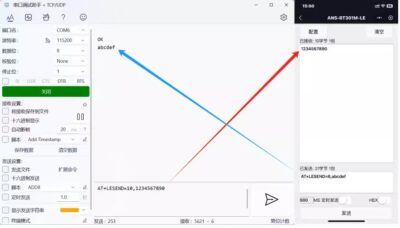
5. Вход источника звука AUX
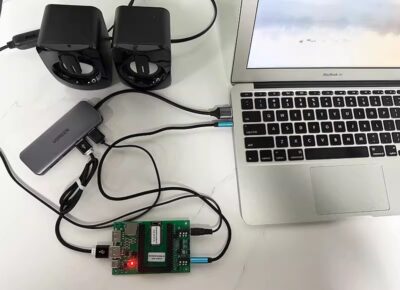
(1) Вставьте аудиокабель 3,5 мм.
(2) Переключить режим отправки команд в режим AUX: АТ+РЕЖИМ=ВСПОМОГАТЕЛЬНЫЙ
6. Вход источника звука USB
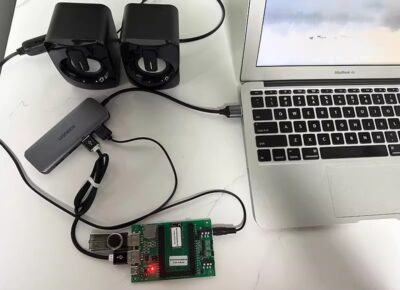
(1) Вставьте USB-накопитель; песни на USB-накопителе будут воспроизводиться автоматически.
7. Входная карта аудиоисточника TF

(1) Вставьте tf-карту; песни на tf-карте будут воспроизводиться автоматически.